

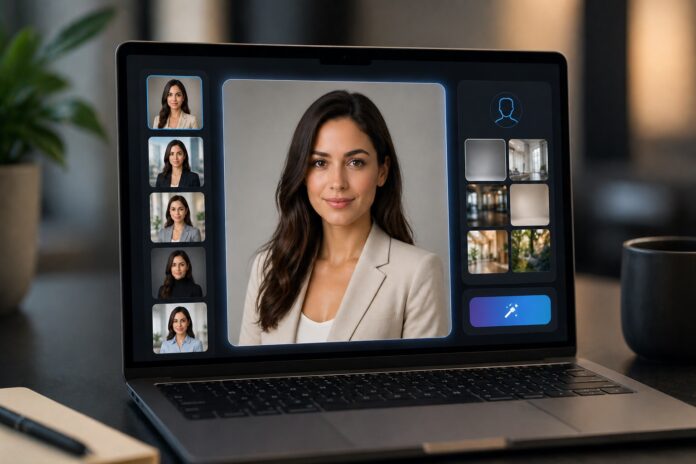
Getting a professional headshot used to mean booking a photographer, clearing a Tuesday afternoon, driving to a studio, and waiting three weeks for edited photos that may or may not look like you on a good day. Total cost: somewhere between $200 and $500. Total fun: debatable.
In 2026, that entire process has been compressed into about 45 minutes and $35 — sometimes less. AI headshot generators have quietly become one of the most practically useful applications of generative AI, and the results have crossed a threshold that matters: they’re no longer obviously artificial. Top-tier tools now produce headshots that are genuinely indistinguishable from professional studio photography.
I tested ten of the most widely used tools — uploading the same set of source photos to each one, evaluating the output quality, the customization options, the turnaround time, and whether the results would actually hold up on a LinkedIn profile or a company about page. Here’s what I found.
Quick Comparison
| Tool | Best For | Price | Processing Time | Rating |
|---|---|---|---|---|
| HeadshotPro | Teams & businesses | $29–$99 | 1–3 hours | ⭐ 4.7/5 |
| Dreamwave | Premium quality | $35–$49 | 1–2 hours | ⭐ 4.6/5 |
| Aragon AI | Speed + variety | $44–$94 | 30–45 min | ⭐ 4.5/5 |
| BetterPic | Customization + editing | $35–$99 | 1–2 hours | ⭐ 4.4/5 |
| Secta Labs | Batch team output | $49 | Varies | ⭐ 4.3/5 |
| ProPhotos AI | Business professionals | $25–$49 | 1–2 hours | ⭐ 4.3/5 |
| Magic Hour AI | Creative/artistic | $49/month | Varies | ⭐ 4.2/5 |
| Cutout.pro | Text-prompt control | Credit-based | Minutes–hours | ⭐ 4.2/5 |
| Pixelbin | Budget-conscious | From $9 | Varies | ⭐ 4.0/5 |
| Remini | Mobile users | Freemium | 5–30 min | ⭐ 3.9/5 |
10 Best AI Headshot Generators in 2026
HeadshotPro — Best Overall for Teams and Businesses
HeadshotPro is the tool that’s earned its reputation the hard way — through sheer volume and consistent results. With over 18 million headshots generated and a 4.6-star Trustpilot rating from 500+ verified reviews, it’s the most battle-tested option on this list. Fortune 500 companies, startup accelerators, and remote teams use it to produce consistent professional headshots at scale, which tells you something about the quality floor.
What you get is up to 100 headshots per order — different outfits, backgrounds, lighting setups — with free remixing after delivery if you want to tweak the results. The output is genuinely photorealistic. I uploaded a set of casual photos taken in natural light and received headshots that looked like they came from a proper studio session. The skin tones were natural, the lighting was consistent, and nothing triggered that uncanny-valley feeling that still plagues cheaper tools.
The 30-day money-back guarantee is also worth mentioning — not many AI tools offer it, and it signals a real confidence in the output quality.
Who it’s for: Teams of any size, businesses building employee directories, job seekers wanting dozens of options, anyone who needs consistent visual branding across multiple people.
Pros:
- 100+ headshots per order with free post-delivery remixing
- Photorealistic results that genuinely hold up on professional platforms
- Team plans with bulk discounts for 5+ members
- Requires only 12–20 input photos — fewer than most competitors
- 30-day money-back guarantee
Cons:
- Processing takes 1–3 hours — not the fastest option
- Entry price is higher than budget alternatives
- Occasional outlier images mixed in with the strong ones (normal across all tools)
Pricing: $29–$99 per individual order; $19–$69 per person for team orders of 5+
Dreamwave — Best for Premium Quality
Dreamwave is where you go when the result needs to be genuinely flawless — an executive bio, a speaker page, an investor deck, something where a slightly-off AI headshot would actually hurt rather than help.
Built by researchers from MIT and Google, Dreamwave uses supercomputer-level processing to generate headshots with a level of micro-detail that most tools don’t reach. The skin texture looks like skin, not a smoothed approximation of it. The eye highlights catch light naturally. The hair has individual strand-level rendering that’s the clearest tell between premium and budget AI headshots.
After testing it head-to-head with HeadshotPro using the same source photos, Dreamwave’s results had a slightly higher realism ceiling — the kind of difference that matters for someone at a senior level who needs headshots that project genuine authority. The trade-off is less customization flexibility. You get what the algorithm generates, with limited ability to specify outfits or backgrounds after the fact.
Who it’s for: C-suite executives, board members, partners at professional service firms, speakers and consultants who need headshots that compete with top-end photography.
Pros:
- Highest realism ceiling of any tool tested
- Processes in under 2 hours despite premium quality
- Results consistently praised in 2025–2026 user reviews
- Strong for high-resolution output suitable for large-format print
Cons:
- Limited post-generation editing and customization
- Fewer outfit and background options than Aragon AI
- Slightly higher price than mid-tier alternatives
Pricing: $35–$49 per order
Aragon AI — Best for Speed and Outfit Variety
If you need professional headshots today — not tomorrow, not in two hours, but within the next 45 minutes — Aragon AI is the answer. It’s the fastest tool on this list, and the speed doesn’t come at the expense of quality in any way that would make you regret not waiting.
The 20+ outfit options are the other standout feature. Most AI headshot tools give you three or four choices. Aragon gives you blazers, suits, business casual, creative styles, and multiple background options — all in the same order. For teams that need visual consistency across different people with different preferences, this range of choice removes a lot of back-and-forth.
The results aren’t quite at Dreamwave’s premium realism ceiling, but they’re well above what most users actually need, and the combination of speed and variety makes Aragon the most practical choice for the majority of professional use cases.
Who it’s for: Remote teams under time pressure, corporate teams wanting visual consistency, job seekers who want outfit variety, anyone who values turnaround time alongside output quality.
Pros:
- Fastest turnaround: 30–45 minutes vs. 1–3 hours elsewhere
- 20+ outfit choices — most variety of any tool tested
- Batch generation for consistent team headshots
- Real-time progress updates during generation
Cons:
- Slightly below Dreamwave’s realism ceiling (still excellent quality)
- Speed premium is reflected in the pricing
- Limited advanced editing options after generation
Pricing: $44–$94 per order depending on package; team discounts available
BetterPic — Best for Customization and Editing Control
BetterPic occupies an interesting position: it’s the tool for people who want AI speed but aren’t willing to fully surrender control over the final result. The core AI generation is solid, but what differentiates it is the optional human editing layer — actual professional retouching on top of the AI output, at an additional cost.
For most users, the AI results alone are strong enough and the human editing add-on feels unnecessary. But for executives and senior professionals where the headshot will appear on a high-traffic website or major publication, the option to have a human expert refine the output is genuinely valuable. No other tool on this list offers it.
The post-generation editing tools are also more robust than competitors — you can tweak results in more specific ways without starting from scratch.
Who it’s for: Perfectionists, C-suite professionals, anyone who wants a safety net between AI generation and the final image going live.
Pros:
- Optional human editing layer — unique in this category
- Most robust post-generation editing tools of any tool tested
- 30-day money-back guarantee
- Fast AI generation (1–2 hours), with +24 hours if adding human editing
Cons:
- Human editing adds significant extra cost ($25–$50 per image)
- More complex workflow than pure automation tools
- Total cost with human editing can approach traditional photography prices
Pricing: $35–$99 AI only; add $25–$50 per image for human retouching
Secta Labs — Best for High-Resolution Batch Output
Secta Labs has a specific strength that matters for particular use cases: it produces the sharpest, highest-resolution output of any tool I tested. If you need headshots that will be printed large — conference banners, office wall displays, large-format marketing materials — Secta’s resolution holds up where other tools start to soften.
The batch generation workflow is also well-designed for team use. The interface is built around producing consistent results across multiple people efficiently, which makes it a natural fit for HR teams building employee directories or marketing teams updating a company’s about page.
The trade-off is customization. Secta produces clean, neutral, corporate-aesthetic headshots — and that’s about it. If you want creative styling, artistic lighting, or anything outside standard professional norms, you’ll need a different tool.
Who it’s for: HR departments, corporate communications teams, any use case requiring high-resolution output for print or large-format display.
Pros:
- Highest resolution output of any tool tested
- Batch generation ideal for team projects
- Consistent neutral corporate aesthetic
- Fast batch processing
Cons:
- Limited customization — fewer style and outfit options
- Less suitable for creative industries
- Mid-range price without Dreamwave’s premium realism
Pricing: $49 per order
ProPhotos AI — Best for Business Professionals
ProPhotos AI does one thing and makes no apology for it: business headshots. There are no creative backgrounds, no casual outfit options, no artistic lighting modes. Everything is calibrated for the professional context — charcoal suits, navy blazers, business casual, clean office backgrounds — and the LinkedIn dimension optimization is built in.
For someone who knows exactly what they want (a professional headshot that works on a corporate website and doesn’t require any creative decisions), ProPhotos delivers that efficiently and at a reasonable price. The business-first focus means you won’t accidentally generate something that looks too casual or too artistic for a traditional professional context.
Who it’s for: Corporate employees, professionals in traditional industries (finance, law, consulting), anyone who wants a no-decisions-required professional headshot.
Pros:
- Guaranteed professional aesthetic — no style mismatches possible
- LinkedIn dimension and framing optimization built in
- Team-friendly bulk pricing
- Quick 1–2 hour turnaround
Cons:
- Limited stylistic variety by design
- Not suitable for creative industries
- May feel too formal for startups or creative companies
Pricing: $25–$49 per order; corporate discounts available
Magic Hour AI — Best for Creative and Artistic Portraits
Magic Hour AI takes a deliberately different approach to what a “professional headshot” should look like. Where most tools optimize for corporate neutrality, Magic Hour optimizes for warmth and flattery — soft natural lighting, artistic backgrounds, a portrait style that’s more editorial than boardroom.
For creative professionals — actors, artists, musicians, designers, personal brand builders — this aesthetic difference matters. A corporate-style headshot can feel incongruent with a creative identity, and Magic Hour produces results that actually fit the context.
The subscription model is the practical consideration. At $49/month with unlimited generations, it works out well for people who will use it regularly. For someone who just needs headshots once or twice a year, a one-time purchase elsewhere is more economical.
Who it’s for: Actors, artists, musicians, designers, content creators, anyone building a personal brand outside traditional corporate contexts.
Pros:
- Soft, flattering portrait aesthetic stands out from corporate competitors
- Unlimited monthly generations within subscription
- Professional color grading with warm, natural tones
- Creative background options
Cons:
- Monthly subscription cost adds up over time
- Too artistic for traditional business contexts
- Limited corporate outfit options
Pricing: $49/month subscription
Cutout.pro — Best for Text-Prompt Customization
Cutout.pro has a feature that no other tool on this list offers in the same way: describe what you want in plain text, and the AI builds it. “Senior lawyer in charcoal suit, oak-paneled office background, confident expression, warm lighting.” That level of specificity isn’t possible with dropdown menus.
For professionals with a very particular vision for how their headshot should look, this text-prompt approach offers creative control that other tools don’t. It also functions as an all-in-one platform — background removal, photo enhancement, upscaling, and restoration alongside the headshot generation, which reduces tool fragmentation.
The pricing model is less transparent than competitors — it’s credit-based, and the total cost depends on what you’re generating. Worth researching before committing.
Who it’s for: Creative professionals with specific visions, users comfortable with text prompts, anyone whose ideal headshot scenario is too specific for dropdown-based customization.
Pros:
- Text-prompt customization enables highly specific output
- All-in-one platform reduces tool fragmentation
- Fast for simple prompts
- Flexible credit-based pricing
Cons:
- Pricing model requires research to understand actual costs
- Output quality depends heavily on prompt quality
- Smaller established user base than top-tier competitors
Pricing: Variable credit-based model — typically $10–$50+ depending on complexity
Pixelbin — Best Budget Option
At $9 for 50 credits, Pixelbin is the entry point for anyone who wants to try AI headshot generation without significant financial commitment. The quality is honest — better than the budget tools of a year or two ago, good enough for casual social profiles and basic professional use, but clearly below the premium tier when you look closely.
For job seekers on tight budgets, students, or freelancers wanting to update a profile photo without a major expense, Pixelbin delivers genuine value. For someone preparing headshots for a corporate website or executive bio, the quality gap with mid-tier tools becomes noticeable.
Who it’s for: Budget-conscious users, students, those wanting to experiment before investing in premium tools.
Pros:
- Lowest cost entry point ($9) — genuinely accessible
- Flexible credit system — pay for what you actually use
- Batch generation available
- Good quality-for-price ratio by 2026 standards
Cons:
- Lower realism ceiling than mid-tier and premium tools
- Limited customization options
- Less polished for formal corporate or executive contexts
Pricing: From $9 per 50 credits; customizable packages available
Remini — Best for Mobile Users
Remini is the mobile-first option — a smartphone app that generates headshots in 5 to 30 minutes without requiring a desktop setup. The freemium model with daily free credits makes it genuinely accessible, and the all-in-one nature of the app (headshot generation plus photo enhancement, upscaling, and restoration) makes it useful beyond just headshots.
The honest limitation is quality. Remini’s results are noticeably more “AI” than the desktop tools — the skin smoothing is more aggressive, the likeness consistency is less reliable, and the overall finish won’t hold up under close scrutiny in professional contexts. For social media profiles, dating apps, and casual LinkedIn refreshes it works well. For corporate websites and professional bios, I’d reach for something else.
Who it’s for: Mobile-first users, casual headshot needs, people wanting quick results without desktop setup, freemium experimentation.
Pros:
- Fastest mobile option (5–30 minutes)
- Freemium model with daily free credits
- All-in-one photo tool beyond just headshots
- Large, active user community
Cons:
- Noticeably lower realism than desktop alternatives
- Less consistent facial likeness than top-tier tools
- Not suitable for formal professional contexts
- Premium subscription needed for volume
Pricing: Freemium (daily free credits); $4.99–$9.99/month for premium
How to Choose the Right AI Headshot Generator
What’s the context? Corporate website and executive bio — HeadshotPro or Dreamwave. LinkedIn profile update — Aragon AI or ProPhotos AI. Creative industry personal brand — Magic Hour AI. Casual social profile — Remini or Pixelbin.
How many people? Solo user with specific needs — BetterPic or Cutout.pro. Team of 5+ — HeadshotPro or Aragon AI with team plans. Large corporate batch — Secta Labs.
How fast do you need it? Today, within the hour — Aragon AI (30–45 minutes) or Remini (5–30 minutes on mobile). Within a few hours — HeadshotPro, Dreamwave, or BetterPic. Speed isn’t critical — any tool works.
What’s your budget? Experimenting — Pixelbin ($9) or Remini (free tier). Mid-range — ProPhotos AI or Dreamwave ($35–$49). Full quality with team plans — HeadshotPro ($29–$99).
AI Headshots by Use Case
Updating LinkedIn: Aragon AI, HeadshotPro, ProPhotos AI Executive bios and investor decks: Dreamwave, HeadshotPro Building a team directory: HeadshotPro, Aragon AI, Secta Labs Creative industry personal brand: Magic Hour AI, Cutout.pro Budget-conscious professionals: Pixelbin, Remini Maximum quality with human oversight: BetterPic
FAQs: Best AI Headshot Generators in 2026
Q: Are AI headshot generators worth it in 2026?
Yes — for most professional use cases, unambiguously. The quality gap between AI and traditional photography has narrowed to the point where it’s no longer distinguishable in the final result, and the cost and time savings are significant. Top-tier tools like HeadshotPro and Dreamwave produce results that professional photographers regularly mistake for studio work.
Q: How many photos do I need to upload?
Typically 4–20 photos. HeadshotPro and Dreamwave recommend 12+ for peak quality. Remini works with as few as 1–2. More variety in lighting, angles, and expressions in your input photos consistently produces better results.
Q: Can I use AI headshots on LinkedIn?
Yes. LinkedIn officially supports AI-generated headshots as of 2025–2026. Many users and companies now use them routinely. Make sure the results look natural — tools like HeadshotPro, Dreamwave, and Aragon AI produce LinkedIn-appropriate quality.
Q: What about privacy — who owns the generated images?
Reputable tools (HeadshotPro, Dreamwave, Aragon AI) give you full commercial rights to all generated images and explicitly state they don’t sell your photos or use them for model training. Always verify the privacy policy before uploading, especially for tools you haven’t used before.
Q: Which tool is best for a team of 20+ people?
HeadshotPro’s team plans (from $19/person at scale) offer the best combination of price, quality, and consistency for large teams. Aragon AI and Secta Labs are strong alternatives for teams that prioritize speed or high-resolution output respectively.
Q: Are AI headshots ethical to use for job applications?
Yes — using AI headshots for professional contexts is now standard practice in 2026. Many companies accept them for LinkedIn, websites, and applications. Disclose if specifically asked, but it’s no longer treated as a red flag in most industries.
Final Thoughts
Professional photography for headshots isn’t going to disappear. But AI headshot generators have permanently changed what the default option is for most professionals — and that default has gotten genuinely good.
The tools in this guide cover every realistic use case: premium executive headshots, fast team rollouts, budget-friendly profile updates, and creative portrait styles. The technology works. The question in 2026 is just which tool matches your specific combination of quality requirements, budget, and timeline.
For most people starting without a strong preference: HeadshotPro for teams, Dreamwave for premium individual results, Aragon AI for speed, and Pixelbin for experimentation on a budget.
The era of blocking out a Tuesday afternoon and driving to a studio is over for most professionals. The results waiting on the other side are better than most people expect.
