

A couple of months after kicking off beta testing, Apple has finally released the iOS 26.3 update for iPhone users globally. The company has also released iPadOS 26.3, macOS Tahoe 26.3, watchOS 26.3, tvOS 26.3, and visionOS 26.3.
Unlike the previous software update, this one is focused on stability improvements and bug fixes. That said, it brings a handful of meaningful upgrades—including a new iOS-Android transfer method, enhanced privacy controls, and four Europe-exclusive capabilities.
Interestingly, the relatively modest update suggests Apple is saving bigger changes for iOS 26.4, which is rumored to bring a significantly upgraded Siri experience and more.
What’s new in the iOS 26.3 update?
For now, here’s a closer look at what’s new in iOS 26.3.
1. Improved data transfer (iOS-Android)
Switching between iPhone and Android just got simpler. Until now, Apple and Google relied on the Move to iOS and Android Switch apps to transfer data. With iOS 26.3, users can now place their iPhone side-by-side with an Android device to begin the transfer process — and the same works in reverse. Both phones need to be on the same Wi-Fi network with Bluetooth enabled. Once detected, a QR code appears to initiate the migration.
Currently supported transfers include photos, messages, notes, apps, passwords, mail accounts, phone numbers, voice memos, and WhatsApp content. Future updates could expand this to include health data and Bluetooth-paired devices, which are still locked within their original ecosystems.
2. New “Hide Exact Location” privacy setting
One of the more notable additions in iOS 26.3 is a privacy feature that allows users to hide their precise location from carriers.
Instead of sharing an exact address, the feature limits visibility to an approximate area or neighborhood — without affecting apps like Find My that intentionally share your live location.
However, there are limitations:
- Only available on iPhones with Apple’s in-house 5G modems (such as iPhone 16e and iPhone Air).
- Limited carrier support, including Telekom (Germany), EE and BT (UK), Boost Mobile (US), AIS and True (Thailand).
If eligible, users can enable it by heading to:
Settings → Cellular → Cellular Data Options
See More: How to Check Your iPhone’s Location History
New features for European users
If you’re based in Europe and use a European Apple Account, iOS 26.3 unlocks four additional features — part of Apple’s regulatory adjustments in the region.
Reply to messages from third-party smartwatches
With the new Notification Forwarding system, users can now respond to iPhone notifications using smartwatches that aren’t an Apple Watch. This marks a significant shift in Apple’s traditionally closed ecosystem.
Faster pairing for third-party headphones
Apple is opening up its seamless AirPods-style pairing system. Third-party headphone makers can now implement similar “bring device close to pair” functionality. Some advanced features may still require companion apps.
- Expanded NFC access for developers
Developers can now use NFC capabilities directly within their apps. For example, a banking app could allow NFC payments without routing everything through Apple Wallet.
- Better cross-device communication
Apple is also allowing deeper integration for features similar to AirDrop, AirPlay, and Continuity Camera — making it easier for non-Apple devices to interact with iPhones.
While adoption will depend on developers and hardware partners, iOS 26.3 lays the groundwork for broader ecosystem compatibility in Europe.
A transitional update ahead of iOS 26.4
Overall, iOS 26.3 isn’t a dramatic upgrade. It refines the system, strengthens privacy controls, and opens new doors in Europe — but stops short of introducing major headline features.
That likely changes soon. With iOS 26.4 expected around April and rumored to include a more advanced Siri experience, this update feels like a necessary transition before bigger changes arrive.
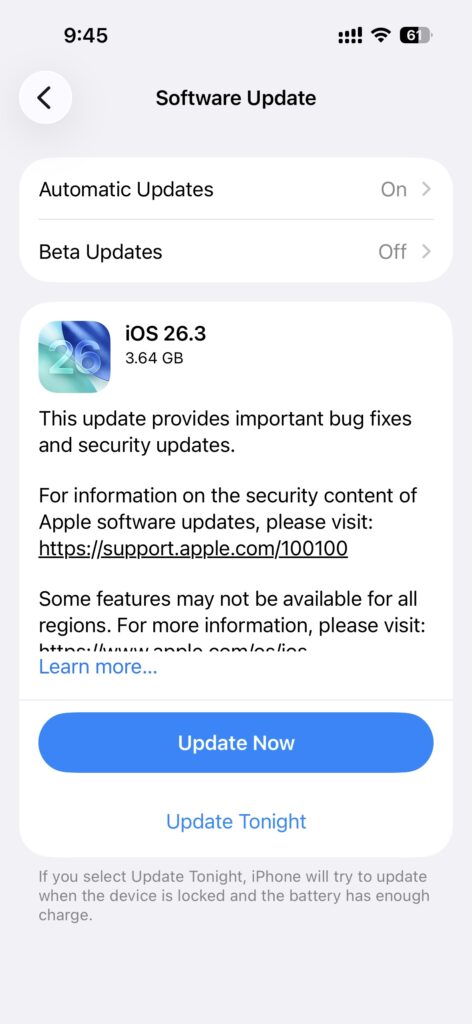
For now, iPhone users can download iOS 26.3 via:
Settings → General → Software Update
